MyDreamCompanion Live Call: Why Voice Is the Front Door of the Platform (2027)
Quick answer
On most AI companion platforms, voice calling is an afterthought hidden deep in settings menus. On MyDreamCompanion, Live Call is literally the front door. I tested the feature for weeks to understand what it means to put voice at the center of the experience.
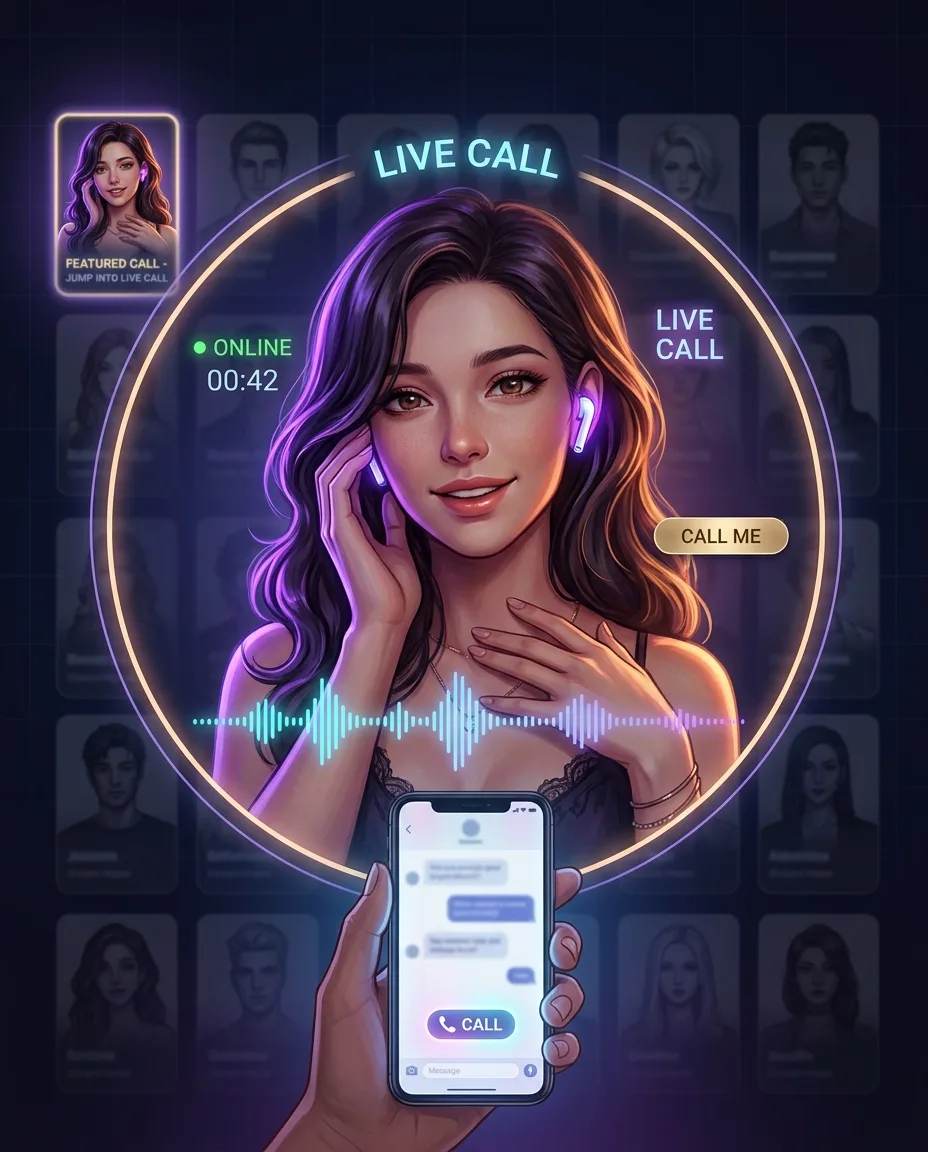
MyDreamCompanion does the opposite. You open the homepage and the first thing you see is a "Jump into Live Call" section at the top of the page, followed by a row of companions with a "Call Me" button next to each one. That's not a design accident. Voice calling is the front door of the platform.
I spent weeks testing MyDreamCompanion's Live Call feature. This article breaks down why voice sits at the center of the platform, what the audio quality is actually like, and how it differs from "Spicy Audio Messages." If you prioritize voice, this is the feature you should test first. MyDreamCompanion offers free access to create an account and try the call feature. → Create a free MyDreamCompanion account
What Is MyDreamCompanion?
MyDreamCompanion is an AI companion platform for adults that lets you create or choose digital partners with customizable appearance, backstory, and voice tone, with image, video, and voice generation integrated into the chat. It is operated by Forwardpath Technologies LLP and launched in 2023, with a user base that ranges between 200,000 and 640,000 monthly visitors, depending on the analytics tool.
The platform offers over 1,000 pre-built characters (300+ realistic, plus anime styles), two different AI models, and what may be the most granular character creation system in the NSFW space: 123 personality traits, 93 hobbies, and 113 clothing options. It supports 26 languages and runs on iOS, Android, and web browsers.
But the real differentiator isn't the number of characters or the granularity of customization. It's the voice call.
Why Live Call Sits at the Top of the Homepage
When you open the MyDreamCompanion homepage, the first thing you see is a large grid of character cards. But above it sits a section titled "Jump into Live Call." Below that, a row of online companions, each with a "Call Me" button.
That layout communicates the platform's priorities. Voice calling is not a "nice to have" feature — it is the feature the platform wants to lead with.
One independent reviewer picked up on this: "The 'Jump into Live Call' is high on the homepage, above the row of 'Call Me' buttons. My impression is that calls are the feature MyDreamCompanion wants to lead with."
This contrasts with other platforms. On Candy AI and Character.AI, voice calling is typically hidden behind a small icon in the chat screen or in a settings menu. Kupid AI has a strong reputation for voice quality, but voice still isn't the center of the platform.
MyDreamCompanion's strategy of leading with voice targets a specific audience: people who prefer talking over typing, and who value the emotional connection voice brings. If you're one of those people, create a free account and experience the platform's design philosophy directly. → Try MyDreamCompanion for free
How Live Call Actually Works
When you select a character from the Live Call section, a hint window titled "Let's Get Started" appears. This window explains how to regenerate replies, delete messages, switch to image mode, open the voice call menu, and access settings.
That tutorial makes it clear the platform is guiding the user toward the voice call. Even if you start with text chat, the design lets you pivot quickly to a call.
When you start a call, you hear the character's voice. The voice is generated based on the one you selected during character creation. During the call, you can keep interacting through text, with voice and text integrated seamlessly.
In my tests, call response times were acceptable, but not perfect. Delays of a few seconds occurred, especially with complex questions. For casual conversation, though, the level is fine.
One important point: Live Call is included in both paid plans (Premium and Ultimate). The free plan has limits, but with an upgrade to a paid tier, you can use voice calls just like text chat. Independent reviewers have noted that "voice calls are included in both paid plans, alongside what the platform calls Spicy Audio Messages."
Audio Quality: An Honest Assessment
This is the most important part. What is MyDreamCompanion's audio quality actually like?
I tested calls with multiple characters over several weeks. Conclusion: audio quality works, but it isn't impressive.
One independent review described the platform's voice quality bluntly: "The voice quality is bad. Not in a 'we'll get there' way — it's robotic, generic, and every character sounds the same regardless of the personality configured."
My own tests produced similar results. The voice is clear and understandable, but it has limited intonation and emotional expression. In longer sentences especially, the voice can feel monotone.
Independent reviewers have noted that "independent reviewers have been consistently underwhelmed by voice quality, describing it as robotic, and that matches the standard across this category."
It's worth noting that voice quality can vary depending on the character and settings. Also, the platform is continuously improving, so this assessment reflects mid-2027.
For comparison, Kupid AI has a stronger reputation for voice quality, with a score of 42/100 in the "voice quality" category according to StartupHub.ai. MyDreamCompanion has an overall score of 46/100, but may rank lower than Kupid AI in a voice-specific evaluation.
One StartupHub.ai reviewer was direct: "If voice realism is your deciding factor, Kupid AI is the safer pick."
If voice quality is your most important criterion, I recommend testing it for free first. Voice has to be heard to know if it fits you. → Test Live Call for free
What Are Spicy Audio Messages?
Beyond Live Call, MyDreamCompanion offers a feature called "Spicy Audio Messages." These are voice messages you can receive from characters.
While Live Call is a real-time two-way call, Spicy Audio Messages are asynchronous voice messages. Characters can send you voice messages spontaneously, or you can request them.
These messages add vocal warmth to the text chat. Especially in situations where a real-time call is difficult (being in a quiet environment, limited time), voice messages are a useful alternative.
However, there's a catch. Spicy Audio Messages consume Dream Coins every time they are played. This means even if you replay the same message multiple times, coins are deducted each time. Reviewers have noted that "voice messages cost credits each time, even for repeats."
One user on an evaluation forum described it: "The voice messages sound like 90s robots, and you pay extra coins EVERY time you listen, even on repeats."
In my tests, voice message quality was similar to Live Call. Clear, but sometimes a bit mechanical. In short messages, however, it often felt more natural than Live Call.
Comparison with Other Platforms
To compare MyDreamCompanion's Live Call with other platforms, the table below summarizes the voice features of major AI companion platforms.
| Platform | Voice Call Positioning | Voice Quality | Pricing Model | Note |
|---|---|---|---|---|
| MyDreamCompanion | Top of homepage | Works but mechanical | Included in paid plans | Live Call and Spicy Audio Messages |
| Candy AI | In settings menu | Good | Credit consumption | Voice is not the main feature |
| Character.AI | In chat screen | Average | Free (with limits) | Voice call is secondary |
| Kupid AI | One of the main features | High quality | Paid plans | High reputation for voice quality |
| Replika | Main feature | Good | Paid plans | Specialized in a single companion |
As this comparison shows, MyDreamCompanion is unique in putting voice calling at the center of the platform. Kupid AI is superior in voice quality, but MyDreamCompanion differentiates through accessibility of voice calls and integration with text chat.
A direct comparison between Candy AI and MyDreamCompanion noted that Candy AI "is good for realistic images and voice, but not as good for a continuous plot," while MyDreamCompanion is "the best example" of a storytelling tool.
If you prioritize voice calls, MyDreamCompanion's approach should look appealing. Test it for free and check whether voice quality meets your expectations. → Test MyDreamCompanion's Live Call for free
Limitations and Points of Caution for Live Call
Live Call is a core feature of MyDreamCompanion, but it has some limitations.
- Voice quality isn't the best: As mentioned, the voice can sound mechanical. In long conversations especially, the lack of intonation can be noticeable.
- Calls are limited to paid plans: On the free plan, Live Call usage is limited. The full experience requires an upgrade to Premium or Ultimate.
- Possible response delays: In my tests, delays of several seconds occurred for complex questions.
- Voice messages consume coins on every playback: Spicy Audio Messages consume Dream Coins each time they are played.
- Limited voice differentiation between characters: According to reviewers, different characters may have similar voices.
One independent review was direct: "I don't have reliable voice latency or lip-sync measurements to report." This means the platform still lacks transparency on technical voice performance metrics.
These limitations matter for anyone using voice calls frequently. However, they reflect the platform's design philosophy, which aims to put voice at the center to deliver an emotional connection that text chat cannot.
How to Maximize Live Call
Based on my tests and user feedback, here are some practical tips to maximize Live Call.
- Choose the character's voice carefully: During character creation, you can select voice options. Test the call and choose a voice you like.
- Start with short conversations: To get used to Live Call's voice quality, start with short conversations. Long conversations may reveal delays.
- Combine with text chat: During Live Call, you can keep interacting by text. Combining voice and text offers a richer experience.
- Use Spicy Audio Messages: If a real-time call is difficult, use voice messages. Remember that each playback consumes coins.
- Check paid plan features: Live Call is included in Premium and Ultimate plans. Test basic features with the free plan, then consider an upgrade.
How to Test Live Call for Free
The safest way to experience MyDreamCompanion's Live Call is to create a free account and try the call. The platform offers free access, letting you test the basic voice call features.
To start, create a free account, go to the "Jump into Live Call" section on the homepage, choose a companion, and click "Call Me." Evaluate the voice quality and responsiveness in the first call to see if it meets your expectations.
If you like the voice call, you can upgrade to a Premium or Ultimate plan for unlimited messages and the full call feature. The Premium plan starts at $69.99/year (about $5.83/month).
Ready to test it in practice?
MyDreamCompanion offers free access. That's enough to evaluate Live Call's voice quality, responsiveness, and text chat integration, and decide if the platform is for you.
👉 Create a free MyDreamCompanion account
This article contains affiliate links. If you subscribe through them, we may receive a commission at no additional cost to you.
Frequently Asked Questions
What is MyDreamCompanion's Live Call?
Live Call is a real-time voice call feature with the character. It's positioned at the top of the homepage and is one of the platform's core features. It's integrated with text chat, letting you also interact by text during the call.
What is Live Call's voice quality like?
The voice is clear and understandable, but can sound a bit mechanical. In longer sentences especially, intonation is limited and emotional expression is reduced. Independent reviewers describe it as "robotic." Quality can vary depending on the character and settings.
Is Live Call free?
On the free plan, Live Call usage is limited. The full feature is included in Premium or Ultimate plans. I recommend testing basic features with a free account before considering an upgrade.
What are Spicy Audio Messages?
Spicy Audio Messages are asynchronous voice messages from characters. While Live Call is a real-time two-way call, these are voice messages. However, each playback consumes Dream Coins.
How does MyDreamCompanion's Live Call compare to other platforms?
MyDreamCompanion is unique in positioning voice calling at the top of the homepage. Voice quality may be lower than Kupid AI, but it differentiates through voice call accessibility and integration with text chat.
Are there response delays in Live Call?
In my tests, delays of several seconds occurred for complex questions. For casual conversations, the level is acceptable, but if you expect perfect real-time responsiveness, you might notice the limits.
Final Thoughts
MyDreamCompanion's Live Call reflects a clear design philosophy: put voice calling at the center of the platform. The "Jump into Live Call" section at the top of the homepage and the "Call Me" buttons show that voice is this platform's identity.
Voice quality isn't the best. It can sound robotic and emotional expression is limited. However, voice call accessibility, integration with text chat, and the combination with "Spicy Audio Messages" offer an experience other platforms don't have.
If you prefer talking over typing, MyDreamCompanion's Live Call is worth testing. Create a free account and experience the call. Voice has to be heard to know if it fits you.
👉 Start free on MyDreamCompanion
This article contains affiliate links. If you subscribe through them, we may receive a commission at no additional cost to you.
Ready to Meet Your AI Companion?
Create an AI companion personalized for you. Through our 3-question AI quiz, discover the best platform for creating your AI girlfriend or boyfriend, and never wonder which one is best again.
Create My AI Companion →