OurDream AI Anime Character Creator: Full Guide 2027
Quick answer
I tested OurDream AI's character creator end to end in 2027. I built an anime companion, explored every customization control, and stress-tested face locking across styles. This guide shows what actually works, what disappoints, and how it stacks up against NovelAI, CrushOn.AI, and Candy AI.
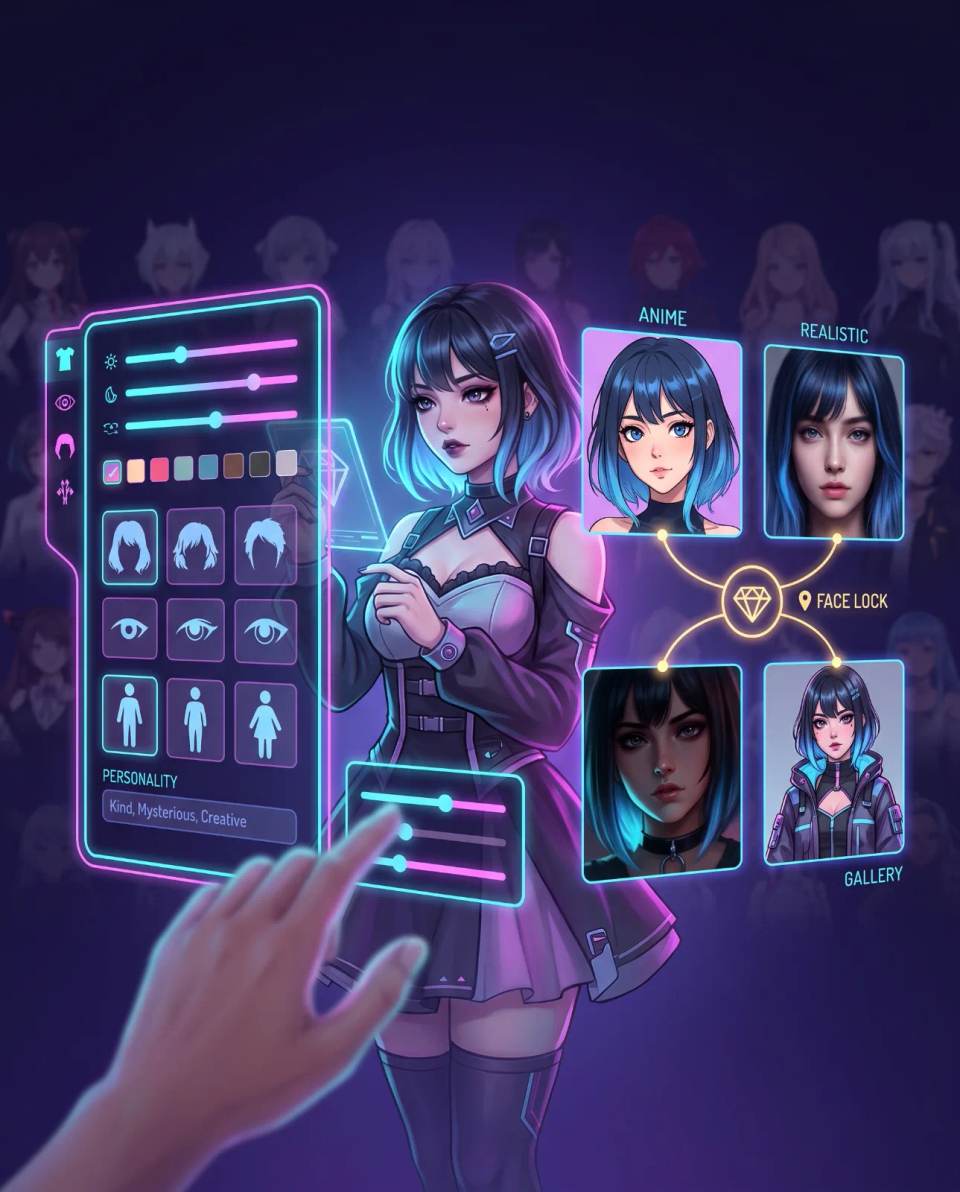
This guide walks through every step of the creation process based on my hands-on test, shows what works in practice, points out the limitations I ran into, and compares OurDream AI's creator against the main alternatives.
What OurDream AI's character creator actually offers
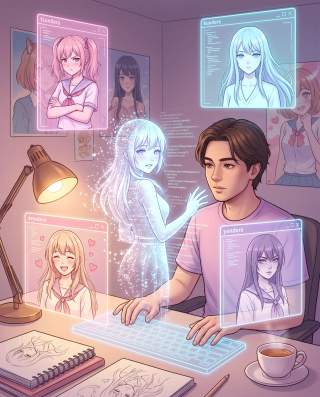
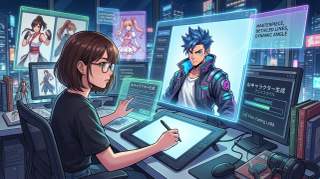
OurDream AI's character creator is a visual and behavioral customization tool that lets you build a digital companion from scratch, choosing between anime or photorealistic aesthetics. Unlike platforms that only ship pre-built characters, OurDream AI bets on a "build from zero" flow: you define every element, from facial structure to personality, through voice and physical details.
During my test, the thing that struck me most was the balance between the two styles. Many platforms treat anime mode as secondary, with visibly worse output than photorealistic mode. Not here. I generated the same character in both styles and the quality held up — which is already a serious technical differentiator.
The creator is available on both the web version and the iOS app. I timed the process: from login to having a saved character ready to chat, it took me about 18 minutes exploring every option carefully. If you go straight to the point, you can do it in under 10.
The customization options available
The creation process starts with the visual style choice and moves through specific categories. The table below summarizes each step.
| Step | What you choose | Level of control |
|---|---|---|
| Visual style | Anime or photorealistic | Initial binary choice |
| Ethnicity / Age / Skin tone | Ethnic origin, age range, skin tone | Free customization with suggestions |
| Face | Eye color and shape, hair color and style, face shape, jaw width | Granular, no rigid presets |
| Body | Body type, bust size, glute size, height | Sliders and free fields |
| Details | Name, voice (up to 50 samples), personality, advanced fields | Free fields + predefined selections |
The appearance controls let you adjust body type, facial structure, hair length and color, eye shape, skin tone, clothing, and accessories. None of these elements use rigid presets — meaning you are not limited to picking from predefined options. That is excellent for anyone who wants something specific, but can be intimidating if you don't know exactly what you want.
In the personality stage, you can choose between traits like "Sweet + Caring + Playful" or fine-tune individual attributes of tone, response style, and behavior. The platform also offers a library of archetypes, but the personality field accepts free-form descriptions. In my test, I wrote a long description of a tsundere character with kuudere undertones, and the resulting behavior in chat was surprisingly consistent with the brief.
Face locking: the technical differentiator that changes everything
The most significant feature of the creator is face locking — the ability to keep the same character's face recognizable across different art styles and image models. In practice, this means you can generate an image of your companion in anime style, then switch to photorealistic, and the face will still be hers, not a different person's.
I tested this systematically. I generated the same character in six different configurations: standard anime, anime with cinematic lighting, photorealistic indoors, photorealistic outdoors, and close-ups in both styles. In all six images, the face remained recognizably the same. Compared to platforms where every generation produces a visually different person, the difference is brutal.
That is a known problem on competitors that do not implement face locking: every image generation produces an inconsistent visual result. OurDream AI's face locking solves it technically, keeping facial identity stable regardless of the prompt or requested style.
Beyond that, the platform supports two-character scene generation with consistent faces in both photorealistic and anime styles. I tested this by generating a scene with my character and a second male character in the same frame. Both faces held up against their respective profiles. I don't know another competitor at this price point that delivers this at that quality level.
Community gallery: millions of characters to explore
If you don't want to start from zero, OurDream AI gives you access to a library of user-created characters. The platform describes it as "explore millions of user-created characters." I spent a few hours browsing the gallery during my test and the variety is genuinely impressive — but with a clear bias.
The library is focused on interactive roleplay, with good discoverability, and leans heavily toward NSFW contexts. If you're looking for characters for casual conversation or non-romantic roleplay, you'll need to filter aggressively. If you're looking for adult content, the offering is vast.
That means you can:
- Browse user-created characters and chat with them directly;
- Use existing characters as a starting point and customize them;
- Publish your own characters to the community;
- Join creation contests the platform runs, with prizes.
The community is active. During my test I noticed the Discord has over 50,000 members, the subreddit has over 9,800, and the X profile has over 160,000 followers. That means a steady flow of new characters and feedback about the creator — useful if you want to see what other users are doing.
Comparison: OurDream AI vs. character creation competitors
For context, it's worth comparing what OurDream AI's creator offers against the main alternatives focused on anime character creation.
| Feature | OurDream AI | CrushOn.AI | Candy AI | NovelAI |
|---|---|---|---|---|
| Build from scratch | Yes, granular | Limited | Yes, realism-focused | Text-focused, not companion-focused |
| Anime style | Equal quality to realistic | Native anime style | Limited | Excellent for art, not for chat |
| Face locking | Yes, across styles | Undisclosed | Limited | Consistency via seeds |
| Customizable voice | Up to 50 samples | Undisclosed | Yes, limited | Not applicable |
| Community gallery | Millions of characters | Large waifu library | 100+ pre-built | Not applicable |
| Integrated chat | Yes, 7 models | Yes, roleplay-focused | Yes | No |
After testing both OurDream AI and Candy AI side by side, the distinction that stood out clearest to me is pacing. Candy AI feels like scrolling Instagram — fast, visual, disposable. OurDream feels like building a character in a game: slower, but more satisfying if you enjoy adjusting and refining.
One area where Candy AI has the edge: its library of 100+ pre-built characters plus community sharing offers variety the "build from zero" approach on OurDream doesn't match. If you'd rather pick from a catalog than create, Candy AI may suit you better. But if you want a character that actually feels like yours, OurDream delivers more.
Step-by-step guide: how to create your anime character
Based on my test, here is the full creation flow, in the order I did it.
- Open the character creator. On the dashboard, click the "Create" tab or the "Character Maker" button.
- Choose the visual style. Select "Anime" for Japanese animation aesthetics or "Realistic" for photorealism. You can switch later, but face locking works best when the style is set from the start.
- Set ethnicity, age, and skin tone. Use the sliders or free-text fields. I tested descriptions like "fair skin with warm undertone" and "Asian features with prominent cheekbones" — both were accepted and rendered correctly.
- Configure the face. Adjust eye color and shape, hair color and style (including length), face shape, and jaw width. This is the most detailed step and the one that most affects the visual result. I spent around 8 minutes on this stage alone.
- Configure the body. Set body type, height, bust size, and glute size. The controls are granular and accept specific values. I noticed small adjustments here make a big difference in the final result.
- Choose the voice. The platform offers up to 50 voice samples with different timbres and styles. For anime characters, I looked for higher-pitched voices or ones with typical Japanese dubbing intonation. I tested five options before deciding.
- Define the personality. Select predefined traits (like "Warm companion") or create a custom description. I wrote a paragraph describing my character's psychological profile — traits like "tsundere," "proud but loyal," "prefers action to words."
- Add advanced details. Use the free fields to describe quirks, background story, hobbies, and motivations. The more specific you are, the more consistent the persona in conversation.
- Review and save. The system generates a preview of the character. You can adjust any parameter before saving.
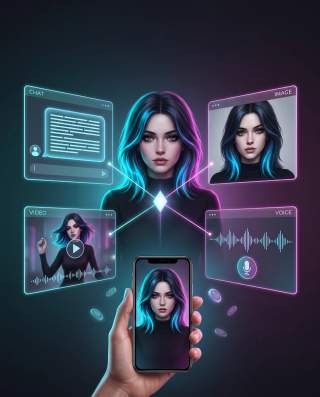
After saving, the character is ready for chat, image generation, video, and voice.
Limitations and things to watch for
OurDream AI's creator is powerful, but not perfect. During my test, I ran into a few things worth mentioning.
- Creation time. Building a character from scratch takes 15 to 20 minutes. If you want instant results, the community gallery is the alternative — but the result won't be as personalized.
- No real-time preview. You don't see a visual representation of the character while you're adjusting appearance controls. The preview only appears after you finish. That means if you got something on the face wrong, you need to generate an image to find out.
- Face locking requires configuration. The feature works well, but you need to enable it explicitly. Without it, generations can vary. I found this out the hard way when my first generation without face locking handed me a slightly different person.
- Voices aren't yet indistinguishable from humans. The 50 samples offer variety, but naturalness varies. Anime-style voices can sound more robotic than realistic ones.
- No live voice calling. The platform offers voice messages, but not real-time calls. For anyone hoping to talk to their character by audio in a live session, that's a real limitation.
How to test the character creator without committing
The safest way to evaluate whether OurDream AI's creator meets your expectations is to use the free plan. It offers 55 DreamCoins on signup and access to the character creator, without requiring a credit card.
Use those 55 coins to build an anime character and generate a few images. Evaluate facial consistency, anime-style generation quality, and how naturally the character responds in chat. I did exactly this before deciding on Premium, and it was decisive in figuring out whether the platform was worth the investment.
To start now, the links below lead directly to the free signup for each profile:
→ Create a free OurDream AI account (female companion profile)
→ Create a free OurDream AI account (male companion profile)
→ Create a free OurDream AI account (trans companion profile)
These are affiliate links. If you subscribe through them, we may receive a commission at no additional cost to you.
Verdict: who OurDream AI's creator is for
OurDream AI's character creator is the most complete tool I've tested in this category for building an anime companion from scratch, with granular control over appearance, personality, and voice. Face locking across styles is a real technical differentiator, with no direct equivalent on competitors in the same price range.
- Worth it for: anime fans who want a character with consistent aesthetics, creators who value the customization process, and users who want to control every detail of appearance and personality.
- May not be worth it for: anyone who prefers picking from a catalog of ready-made characters (the community gallery covers this partly), anyone who wants instant results, or anyone who doesn't care about visual consistency across generations.
For the otaku audience, OurDream AI delivers something few platforms offer: the ability to build a waifu or husbando that genuinely feels like yours, in any style, without losing identity along the way. After testing it, I can say with confidence: if visual consistency and granular control matter to you, the time investment pays off.
Frequently asked questions
Can I create a character in anime style and then switch to photorealistic?
Yes. Face locking keeps the same face recognizable when you switch between styles. I tested this six times with the same character and visual identity stayed consistent across all variations.
How many voice options are available?
The platform offers up to 50 voice samples with different timbres and styles. For anime characters, look for higher-pitched voices or ones with typical dubbing intonation. I tested five options before choosing.
Do I need to pay to use the character creator?
No. The creator is available on the free plan. You get 55 DreamCoins on signup to test creation and image generation. Advanced features like video and voice require a Premium subscription.
What is face locking and why does it matter?
Face locking is the ability to keep the same character's face recognizable across different art styles and image models. Without it, every generation would produce a different person. With face locking, the character's visual identity stays consistent.
Can I create male and trans characters?
Yes. The creator lets you define gender, ethnicity, and all physical parameters. The platform offers specific profiles for male and trans companions, with the same customization features.
Can I use community gallery characters as a base for mine?
Yes. You can browse characters created by other users, chat with them, and use their configurations as a starting point for building your own.
Ready to Meet Your AI Companion?
Create an AI companion personalized for you. Through our 3-question AI quiz, discover the best platform for creating your AI girlfriend or boyfriend, and never wonder which one is best again.
Create My AI Companion →