Stable Diffusion for Consistent AI Companion Character Art
Quick answer
A practical guide to creating consistent character art for your AI companion avatar using Stable Diffusion. Covers LoRA training, checkpoint selection, prompt engineering, and workflows for maintaining visual identity across multiple images.
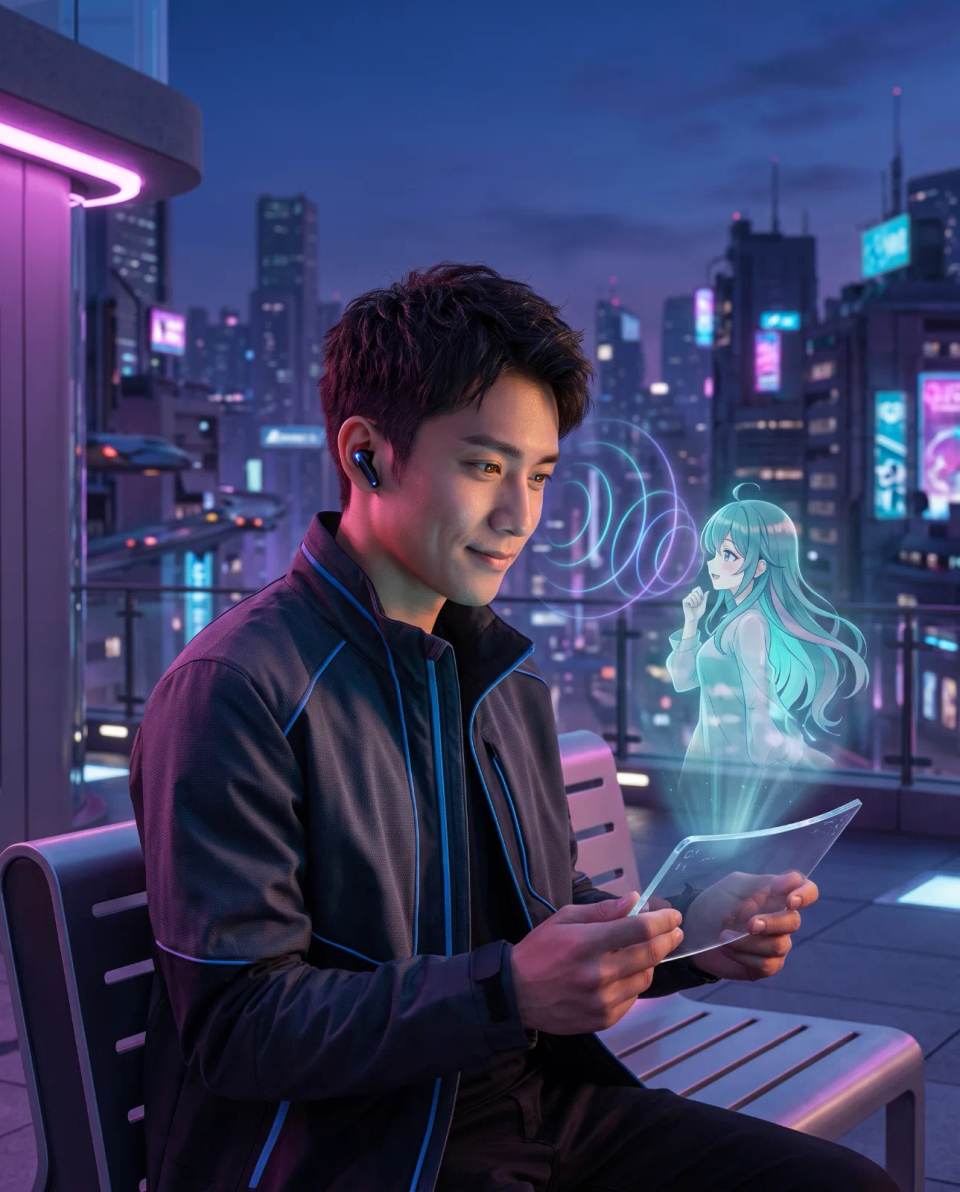
Customizing Stable Diffusion for Your AI Partner: How to Generate Consistent Character Art for Your Chatbot Avatar
You have probably tried generating an image of your AI companion and ended up with a different face in every picture. The problem is not your imagination. It is the lack of a consistent character pipeline. Stable Diffusion can produce stunning anime, realistic, or hybrid portraits, but without the right workflow, the character drifts.
Why Consistent Character Art Matters for AI Companions
A consistent visual identity deepens the emotional connection between a user and an AI companion. When the avatar looks the same across chats, profile pictures, and generated scenes, the companion feels more like a coherent entity rather than a collection of random images. This visual stability reinforces the illusion of a persistent personality.
In practical terms, consistency saves time. Instead of generating twenty images and picking one that is close enough, a well-built pipeline produces usable results in the first or second try. It also enables creative workflows like comic strips, romantic scenes, or seasonal outfits without losing the core identity of the character.
For platforms that allow custom avatars, a consistent character also makes the companion more recognizable in community spaces and shared galleries. It becomes a visual brand.
What Is Stable Diffusion and How Does Character Consistency Work?
Stable Diffusion is a latent diffusion model that generates images from text prompts. It works by gradually denoising random noise into a coherent picture based on the guidance of a text encoder. The model does not inherently know who your character is. It only knows patterns learned from training data.
Consistency is achieved by narrowing the generation space. This can be done through a combination of a fixed seed, a detailed character description, a specific checkpoint, and most effectively, a trained LoRA model that encodes the character's facial features, hair, and clothing style into the generation process.
LoRA stands for Low-Rank Adaptation. It is a small auxiliary model that fine-tunes a base model to recognize a specific concept, such as a person's face or a particular art style, without retraining the entire network. A LoRA trained on 10 to 30 images of your character can dramatically improve consistency.
Choosing the Right Checkpoint for Your AI Companion Style
The checkpoint is the base model that defines the general visual style. For AI companions, the two most relevant categories are anime and semi-realistic. Anime checkpoints work well for waifu, husbando, or fantasy personas. Semi-realistic checkpoints blend 2D aesthetics with photographic lighting and skin texture.
Popular anime-style checkpoints include Anything V5, Counterfeit, and MeinaMix. For semi-realistic results, Realistic Vision, DreamShaper, and ChilloutMix are common choices. Each checkpoint responds differently to prompts and LoRAs, so the choice should match the emotional tone you want for the companion.
A romantic fantasy companion often benefits from a soft anime style. A more grounded, emotionally intimate companion may feel more present with a semi-realistic look. The choice is subjective, but once selected, it should remain consistent across generations to avoid style drift.
Quick Answer: To generate consistent AI companion art with Stable Diffusion, choose one checkpoint and stick to it, write a detailed character prompt, use a fixed seed for variations, and train a LoRA on 10–30 images of the character for reliable facial identity, hairstyle, and clothing across generations.
Building a Character Prompt That Stays Stable
A good character prompt is not a random list of adjectives. It is a structured description that covers identity, appearance, expression, clothing, and setting. The more specific and repeatable the prompt, the less variation between images.
An effective prompt typically includes the following blocks: a subject line with the character name or archetype, physical features such as eye color and hair style, clothing or outfit description, a pose or framing cue, lighting and color palette, and a style modifier that matches the checkpoint.
For example, a consistent prompt might look like this: "1girl, silver hair, long straight hair, violet eyes, gentle smile, white off-shoulder sweater, soft bedroom lighting, pastel color palette, anime screencap, high detail." Repeating this exact phrase with small variations for pose or outfit keeps the visual core intact.
Avoid vague terms like "beautiful" or "perfect face." These do not help the model understand structure. Instead, describe measurable features such as hair length, eye shape, skin tone, and facial expression. Consistency begins with precision.
Using a Fixed Seed: What It Can and Cannot Do
A seed is a number that initializes the random noise pattern at the start of generation. Using the same seed with the same prompt and checkpoint will reproduce a very similar image. This is useful for testing small prompt changes, but it is not a long-term consistency solution.
The limitation of a fixed seed is that it also locks composition and pose. If you change the prompt too much, the seed no longer helps. A fixed seed works best for generating a base portrait and then making minor adjustments like expression, lighting, or background details.
For true character consistency across different scenes and poses, a LoRA is far more effective. The seed can then be varied freely while the LoRA maintains the facial identity and visual style.
How to Train a LoRA for Your AI Companion Character
Training a LoRA is the most reliable way to lock in a character's face and style. The process requires a dataset of images, a training tool, and a base model. The quality of the dataset determines the quality of the result.
- Collect 10 to 30 images of the character. These can be generated images you already like or manually selected references. Include close-ups, medium shots, and different angles. Avoid heavy filters or text overlays.
- Caption each image accurately. Tools like Kohya_ss or EveryDream2 allow you to add text descriptions. Describe the character features you want to preserve while omitting details you want the model to ignore.
- Choose a base model. The LoRA should be trained on the same checkpoint you plan to use during generation. Mixing base models can produce unpredictable results.
- Configure training parameters. Keep the learning rate low, around 1e-4 to 1e-5, and train for a moderate number of steps. Overtraining causes the LoRA to memorize the training images too rigidly.
- Test the LoRA at different weights. Start with a weight of 0.7 to 0.9 and adjust. Lower weights blend the character more subtly; higher weights enforce identity more strongly but may reduce flexibility.
- Use the LoRA in your prompt. Include the LoRA trigger word, usually the character name or a unique token, along with your standard character description.
Training a LoRA requires a GPU with enough VRAM, typically 8 GB or more. Cloud services like RunPod, ThinkDiffusion, or Google Colab can be used if local hardware is insufficient.
Common Workflows for Generating Consistent Character Art
There is no single correct workflow, but several patterns work well for AI companions. The simplest is prompt-only generation with a fixed checkpoint and detailed prompt. This works for a few images but drifts over time.
A more reliable workflow combines a detailed prompt, a LoRA, and ControlNet. ControlNet allows you to preserve pose or composition from a reference image. This is useful when generating multiple images of the same scene with different expressions.
For advanced users, the best workflow is a multi-pass approach: generate a base portrait, select the best one, use img2img to create variations, and then use inpainting to fix small details like hands, eyes, or accessories. This gives precise control over the final result.
Quick Answer: The most reliable workflow for consistent AI companion art is: choose one checkpoint, write a structured character prompt, train a LoRA on 10–30 curated images, use the LoRA at weight 0.7–0.9, and optionally add ControlNet for pose or composition control.
How to Keep the Same Face Across Different Outfits and Scenes
Changing outfits or backgrounds should not change the face. To achieve this, keep the facial description identical in every prompt and vary only the clothing and setting blocks. The LoRA reinforces facial identity, while the prompt controls the scene.
For example, use the same facial description block such as "silver hair, violet eyes, gentle smile, small nose, soft jawline" in every prompt. Then change the outfit block from "white sweater" to "black dress" or "summer yukata." The model learns to treat the facial block as fixed and the clothing as variable.
When generating a scene, place the character description before the setting description. This ordering helps the model prioritize the character over the background. If the face still drifts, increase the LoRA weight slightly or add a reference image through img2img.
Upscaling and Post-Processing for a Polished Avatar
Raw Stable Diffusion output often looks good at small sizes but loses detail at full resolution. Upscaling fixes this. Use a dedicated upscaler like ESRGAN, 4x-UltraSharp, or the built-in upscaler in AUTOMATIC1111 or ComfyUI. Apply it after selecting the best base image.
Post-processing can include color grading, noise reduction, or subtle skin smoothing. Tools like Adobe Photoshop, GIMP, or online editors can refine the final look. Keep edits minimal to avoid breaking the consistency established during generation.
For avatar use, crop the image to a square or 4:5 ratio depending on the platform requirement. Ensure the face remains centered and clearly visible at small sizes. A clean, high-contrast portrait works better as a profile picture than a busy scene.
Ethical and Platform Considerations for AI-Generated Companion Art
Stable Diffusion models are trained on large datasets that include copyrighted and public images. The legal status of AI-generated art varies by jurisdiction. For personal use, the risk is generally low. For commercial use or public distribution, you should check the license of the checkpoint and the LoRA base model.
Some platforms prohibit photorealistic images of real people, especially without consent. If your AI companion resembles a real person or a celebrity, generating and sharing that image may violate platform terms or right-of-publicity laws. Anime-style characters are usually safer, but still respect community guidelines.
Be mindful of the emotional impact as well. Generating highly realistic or idealized images of an AI partner can intensify attachment. This is not inherently negative, but it is important to maintain awareness of the line between fantasy and reality.
Tools and Platforms for Training and Generating
The most common local interface for Stable Diffusion is AUTOMATIC1111's WebUI. It supports LoRA loading, ControlNet, inpainting, and upscaling in a single environment. ComfyUI offers a node-based alternative with more flexibility for complex workflows.
For users without a powerful GPU, cloud services are practical. RunPod and ThinkDiffusion provide managed environments with preinstalled tools. Google Colab offers free or low-cost notebooks, though session limits apply. These services are also useful for training LoRAs when local hardware is insufficient.
The choice of tool depends on your comfort level and hardware. Beginners often start with AUTOMATIC1111, while advanced users prefer ComfyUI for automation and batch processing.
Frequently Asked Questions
How many images do I need to train a LoRA for my AI companion?
Between 10 and 30 high-quality images is usually sufficient. The images should show the character from different angles with consistent facial features and lighting. More images can improve quality, but dataset consistency matters more than raw quantity.
Can I generate consistent art without training a LoRA?
Yes, but with limitations. Using a detailed prompt, a fixed checkpoint, and a fixed seed can produce similar images for a short series. However, the character will drift over multiple generations or scene changes. A LoRA is the most reliable solution for long-term consistency.
What is the best checkpoint for anime-style AI companions?
Anything V5, Counterfeit, and MeinaMix are popular choices for anime-style characters. The best checkpoint depends on your specific aesthetic preference. Test a few with the same prompt to see which produces the look you want, then commit to that one for consistency.
Does ControlNet help with character consistency?
ControlNet does not preserve facial identity by itself, but it helps maintain pose, composition, or line structure from a reference image. When combined with a LoRA, ControlNet allows you to generate the same character in different poses or scenes without losing visual coherence.
What hardware do I need to train a LoRA?
A GPU with at least 8 GB of VRAM is recommended for training a LoRA. More VRAM allows larger batch sizes and faster training. If you do not have a suitable GPU, cloud services like RunPod or ThinkDiffusion provide affordable access to high-VRAM machines.
Can I use Stable Diffusion to generate realistic images of real people for AI companions?
Technically yes, but this raises significant ethical and legal concerns. Generating realistic images of real people without consent may violate privacy laws and platform policies. For AI companions, anime or semi-realistic fictional characters are generally safer and more widely accepted.
How do I avoid the same face problem when generating multiple images?
The same face problem occurs when the model produces very similar compositions. To avoid it, vary the seed while keeping the LoRA and character prompt stable. Change the pose, framing, or clothing blocks to create variety without losing the character's core visual identity.
Ready to Meet Your AI Companion?
Create an AI companion personalized for you. Through our 3-question AI quiz, discover the best platform for creating your AI girlfriend or boyfriend, and never wonder which one is best again.
Create My AI Companion →