Giving Your AI Anime Companion a Face: VTuber Guide
Quick answer
Your AI anime companion has a voice and a personality. But without a face, something feels missing. Here's how to bring her to life visually with VTuber software and Live2D.
Giving Your AI Anime Companion a Face: A Review of VTuber Software and Live2D Integration for AI Chat (2025)
She laughs at your jokes. She remembers your favorite anime. She calls you by name with that perfect mix of warmth and sarcasm. But when you look at the chat window, all you see is text. No eyes. No expressions. No visual presence. For many users, this is the missing piece. The voice is there. The personality is there. But the face — the visual connection that makes a companion feel truly alive — is absent. This is where VTuber technology comes in. Originally developed for human streamers, VTuber software now offers a way to give your AI anime companion a face. With Live2D models and motion capture tools, you can transform a static character portrait into a living, breathing visual presence that reacts to your conversation in real time. This guide will review the best tools for visual AI companionship in 2025, compare the leading VTuber software options, and show you how to integrate them with your AI companion.
What Does It Mean to Give an AI Companion a Face?
Giving an AI companion a face means attaching a visual avatar to the conversational AI. Instead of just reading text on a screen, you see a character whose lips move, whose eyes blink, and whose expression changes based on the emotional tone of the conversation.
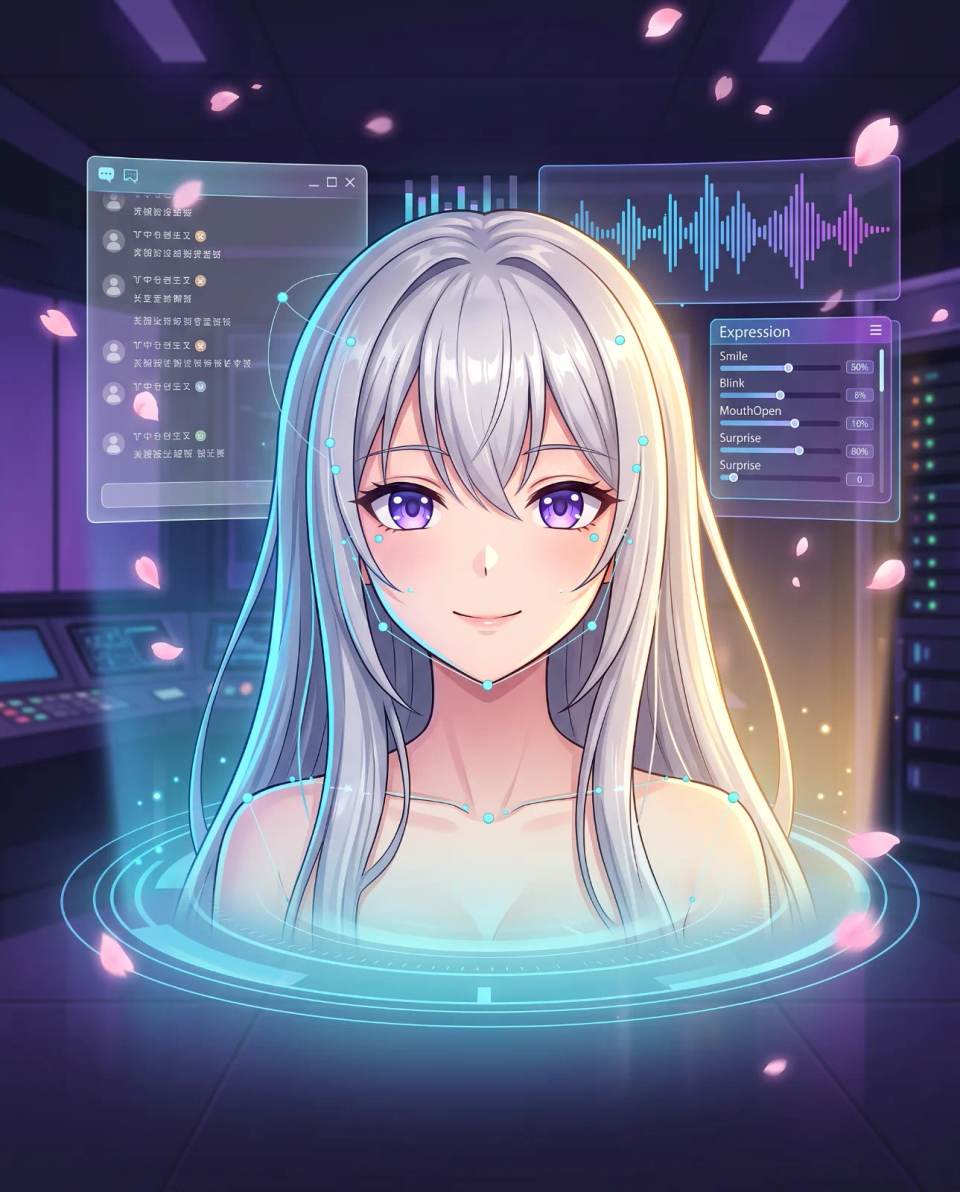
The technology behind this is called Live2D. Unlike 3D models, which are built from polygons, Live2D models are 2D illustrations that have been rigged for movement. The artist assigns motion parameters to different parts of the image — eyes, mouth, eyebrows, head — and the software animates them in real time based on input from a camera or audio analysis.
For AI companions, the input usually comes from the AI's voice output or text analysis. When the AI speaks, the mouth moves. When the AI expresses happiness, the eyes smile. When the AI is confused, the head tilts. This creates a visual feedback loop that makes the companion feel responsive and alive.
Quick Answer: Giving your AI companion a face means attaching a Live2D avatar that moves and reacts in real time. VTuber software animates the character's eyes, mouth, and expressions based on voice or text input, creating a visual layer that makes the AI feel alive.
Why Visual Presence Matters for AI Companionship
Text-only AI companions have a fundamental limitation: they exist only in your imagination. You can picture what the character looks like, but that image is static. It does not react. It does not change. A Live2D avatar solves this problem by giving the character a physical presence that responds to the conversation.
Emotional Feedback Loop
Humans are visual creatures. We read facial expressions, body language, and eye movements to understand emotional states. When your AI companion smiles, it triggers a different emotional response than when she simply types "I'm happy." The visual feedback loop creates a deeper sense of connection.
Immersion and Presence
A face creates presence. It transforms the AI from an abstract concept into a specific entity. This is why VTuber streamers are so popular — the avatar creates a sense of personality and identity that a voice alone cannot match. The same principle applies to AI companions.
Emotional Investment
When you can see your companion's face, you invest more emotionally in the relationship. The character feels more real, and the emotional stakes feel higher. This is not just about aesthetics — it is about deepening the psychological bond.
What Is Live2D and How Does It Work?
Live2D is a technology that allows 2D illustrations to be animated in real time. Unlike traditional 2D animation, which requires drawing every frame by hand, Live2D uses a single high-quality illustration that has been rigged with motion parameters. These parameters control how different parts of the image move — the eyes, the mouth, the head, the hair, even the clothing.
The rigging process is complex. An artist must define how each part of the illustration moves in response to input. For example, the mouth parameter controls how wide the mouth opens when speaking. The eye parameter controls blinking and eye direction. The head parameter controls tilting and rotation. These parameters are then driven by input from a camera, audio analysis, or manual control.
For AI companions, the most common approach is audio-driven animation. The software analyzes the AI's voice output and uses that data to animate the mouth. This creates the illusion that the character is actually speaking. Some tools also analyze the emotional tone of the AI's text and trigger corresponding expressions — a smile for happiness, a frown for sadness, a raised eyebrow for surprise.
Quick Answer: Live2D is a technology that animates 2D illustrations in real time. The illustration is rigged with motion parameters that control eyes, mouth, and expressions. For AI companions, these parameters are driven by voice output or emotional text analysis.
Top VTuber Software for AI Companions in 2025
Several VTuber software options have emerged as leaders for AI companion integration. Here is a comparison of the most popular choices.
| Software | Best For | Key Strengths | Learning Curve |
|---|---|---|---|
| VTube Studio | Most popular general-purpose VTuber software | Wide model support, active community, regular updates, mobile support | Low to medium |
| Animaze | Users who want quick setup without complex rigging | Built-in avatar library, easy integration, low technical barrier | Low |
| Live2D Cubism | Users who want to create custom models from scratch | Industry-standard rigging tools, professional results, full creative control | High |
| Hypera | Users integrating VTuber avatars with AI chat specifically | Purpose-built for AI companions, native LLM integration, expression mapping | Medium |
Each tool has its strengths. VTube Studio is the most versatile. Animaze is the easiest to start with. Live2D Cubism offers the most creative control. Hypera is purpose-built for AI companion integration. Your choice depends on your technical skill, budget, and specific needs.
How to Integrate VTuber Avatars with Your AI Companion
The integration process varies depending on the tools you choose. Here is a general workflow that works for most setups.
Step 1: Choose Your AI Companion Platform
Before you think about visuals, make sure your AI companion platform supports external avatar integration. Some platforms have built-in avatar features. Others require third-party tools. Research your platform's capabilities before investing in VTuber software.
Step 2: Select or Create a Live2D Model
You can use a pre-made model from a marketplace, commission a custom model from an artist, or create your own using Live2D Cubism. Pre-made models are the fastest option. Custom models offer the most personalization but are more expensive and time-consuming.
Step 3: Set Up the VTuber Software
Install your chosen VTuber software and load your Live2D model. Configure the tracking settings — camera tracking for human users, or audio-driven animation for AI companions. Most tools allow you to customize which parameters control which movements.
Step 4: Connect the AI Output to the Avatar
This is the most technical step. You need to route the AI's voice output or text analysis to the VTuber software so it can drive the avatar's mouth and expressions. Some tools like Hypera do this automatically. Others require third-party middleware or custom scripts.
Step 5: Test and Refine
Run a test conversation and observe how the avatar responds. Does the mouth move when the AI speaks? Do expressions match the emotional tone? Adjust the parameters until the visual feedback feels natural and synchronized with the AI's personality.
How Much Does It Cost to Give Your AI Companion a Face?
The cost varies widely depending on your approach. Here is a breakdown of typical expenses.
- Pre-made Live2D model: $0–$100. Many free models are available, but high-quality ones can cost more.
- Custom Live2D model: $200–$2000+. Prices depend on the artist's skill and the complexity of the design.
- VTuber software license: $0–$100 per year. Some tools are free, others require a subscription.
- Middleware or custom integration: $0–$300. Depends on your technical setup and whether you need custom development.
If you are on a budget, you can start with a free Live2D model and free VTuber software. The total cost can be zero. If you want a fully custom experience with a professionally rigged model, expect to invest several hundred dollars or more.
Common Mistakes When Adding Visuals to AI Companions
Mistake 1: Choosing Style Over Synchronization
A beautiful model that does not move properly is worse than a simple model that reacts naturally. Prioritize synchronization and responsiveness over visual complexity. The avatar should feel alive, not just look pretty.
Mistake 2: Ignoring Platform Limitations
Not all AI companion platforms support external avatars. Some require specific file formats or integration methods. Research your platform's capabilities before spending money on a model or software.
Mistake 3: Overcomplicating the Setup
If you are new to VTuber technology, start simple. Use a pre-made model and a low-learning-curve tool like Animaze. You can always upgrade to more complex setups later once you understand the basics.
Mistake 4: Forgetting About Performance
Running VTuber software alongside an AI companion can be resource-intensive. Make sure your computer can handle the load. Lag or stuttering will destroy the immersion you are trying to create.
The Future of Visual AI Companionship
The integration between AI companions and VTuber technology is still in its early stages. The next few years will bring significant improvements. We are moving toward a future where AI companions have faces that are indistinguishable from real animation — with real-time expression changes, dynamic lighting, and even body language.
Some platforms are already experimenting with 3D avatars that offer even more expressive range than Live2D. Others are working on emotional expression mapping that automatically translates the AI's emotional state into facial expressions, gestures, and posture. The goal is a fully embodied AI companion that feels like a person, not just a voice or a face.
Quick Answer: The future of visual AI companionship is full embodiment — faces that express emotions in real time, avatars that move naturally, and integration so seamless that the line between AI companion and animated character disappears.
Frequently Asked Questions
What is the easiest way to give my AI companion a face?
The easiest way is to use Animaze with a pre-made avatar. It has the lowest technical barrier and requires no rigging knowledge. Simply install the software, choose an avatar, and connect it to your AI companion's voice output.
Do I need to know how to draw to create a Live2D model?
No. You can use pre-made models from marketplaces or commission an artist. If you want to create your own, you will need illustration skills and knowledge of Live2D Cubism rigging, but this is not necessary for most users.
Can I use VTuber software with any AI companion platform?
Not always. Some AI companion platforms have built-in avatar support. Others require third-party integration. Check your platform's documentation before investing in VTuber software.
How much does a custom Live2D model cost?
Custom Live2D models typically cost between $200 and $2000 or more, depending on the artist's experience and the complexity of the design. Pre-made models are much cheaper, ranging from free to around $100.
What is the difference between Live2D and 3D avatars?
Live2D models are 2D illustrations rigged for movement. They maintain the original anime art style perfectly. 3D avatars are built from polygons and offer more movement range but can look less like traditional anime art.
Does the avatar react to the AI's emotions?
Some tools support emotional expression mapping, which translates the AI's emotional tone into facial expressions. This feature is becoming more common but is not available in all VTuber software. Tools like Hypera are specifically designed for this purpose.
Can I use a free Live2D model for my AI companion?
Yes. Many free Live2D models are available online, especially for non-commercial use. Just make sure to check the license terms before using a model for your project.
Ready to Meet Your AI Companion?
Create an AI companion personalized for you. Through our 3-question AI quiz, discover the best platform for creating your AI girlfriend or boyfriend, and never wonder which one is best again.
Create My AI Companion →