How to Run a Local AI Companion: Private LLM Tutorial
Quick answer
Tired of cloud censorship and monthly fees? This technical guide teaches you how to deploy a private, uncensored AI companion on your own hardware using open-source LLMs and local frontends.
How to Run a Local AI Companion: The Complete Private LLM Tutorial
Cloud-based AI companions come with three unavoidable compromises: recurring subscription costs, content moderation you cannot disable, and the uncomfortable reality that your most intimate conversations are stored on someone else's server. The open-source ecosystem has matured enough to offer a credible alternative.
What Does "Running Locally" Actually Mean for AI Companions?
When you use Character.AI, Replika, or similar platforms, your messages travel over the internet to a data center. Powerful GPUs process your prompt through a massive language model, and the response travels back. The company owns the hardware, the model, and the conversation logs.
Running locally inverts that architecture. Your computer becomes the server. A language model — typically in GGUF format for consumer hardware — loads entirely into your RAM and VRAM. The frontend interface, which handles the chat display and character personality, connects to a local API endpoint instead of a remote URL. No internet connection is required after the initial download.
The implications are profound. Conversations never leave your device. You can modify the model's personality without restrictions. And once the initial hardware investment is made, the marginal cost of unlimited conversation is exactly zero.
Is Your Hardware Ready for Local AI Companions?
The single most important factor is VRAM — the dedicated memory on your graphics card. Language models are memory-hungry. The size of the model you can run is directly proportional to how much VRAM and system RAM you have available.
What Are the Minimum Hardware Requirements for a Local AI Companion?
You need at least 8GB of combined VRAM and RAM to run a functional 7B parameter model at acceptable speed. Anything less will work, but responses will be painfully slow — think 30 to 60 seconds per message. For a truly conversational experience, aim for 16GB of VRAM or more.
| Hardware Tier | Recommended Model Size | Expected Speed | Experience Quality |
|---|---|---|---|
| CPU only (16GB RAM) | 3B – 7B quantized | 1 – 4 tokens/sec | Slow but usable for text-only roleplay |
| RTX 3060 / 4060 (8GB VRAM) | 7B – 13B quantized | 15 – 30 tokens/sec | Responsive, good for daily companion use |
| RTX 3090 / 4090 (24GB VRAM) | 13B – 34B quantized | 25 – 50 tokens/sec | Near-instant responses, deep personality retention |
| Apple Silicon Mac (M1/M2/M3) | 7B – 13B quantized | 10 – 25 tokens/sec | Efficient, excellent for privacy-focused users |
Step 1: Install the Backend Engine
The backend is the software that loads the language model into memory and exposes it through a local API. For beginners, the most accessible option is LM Studio. It provides a graphical interface, built-in model browser, and one-click server mode.
Download the installer for your operating system from the official website. During installation, allow the application to create a local server endpoint. After launching, navigate to the model discovery tab. You will see a list of available open-source models, including Llama 3, Mistral, and their fine-tuned variants optimized for conversational roleplay.
For advanced users comfortable with command-line tools, Ollama and llama.cpp offer more granular control over context length, GPU offloading, and quantization parameters. These are the preferred options for servers and headless Linux deployments.
Step 2: Choose the Right Open-Source Model for Companionship
Not all language models are equal when it comes to emotional intelligence and long-term roleplay. The base models from Meta and Mistral are generalists. Fine-tuned variants trained specifically on conversational data, character interactions, and narrative roleplay deliver a markedly better experience for AI companionship.
Which Open-Source Models Work Best for AI Companionship?
Look for models with high scores on conversational benchmarks and strong instruction-following abilities. Models in the 7B to 13B parameter range offer the best balance of performance and hardware accessibility. Larger 20B to 34B models provide deeper reasoning and more consistent personality, but require significantly more VRAM.
Pay attention to the quantization level. Q4_K_M is the standard recommendation for most consumer hardware. It reduces memory usage by roughly 75% compared to the full-precision model, while retaining approximately 95% of the response quality. Q8_0 delivers near-lossless quality for users with extra VRAM headroom.
Step 3: Connect a Frontend Interface for Character Personalities
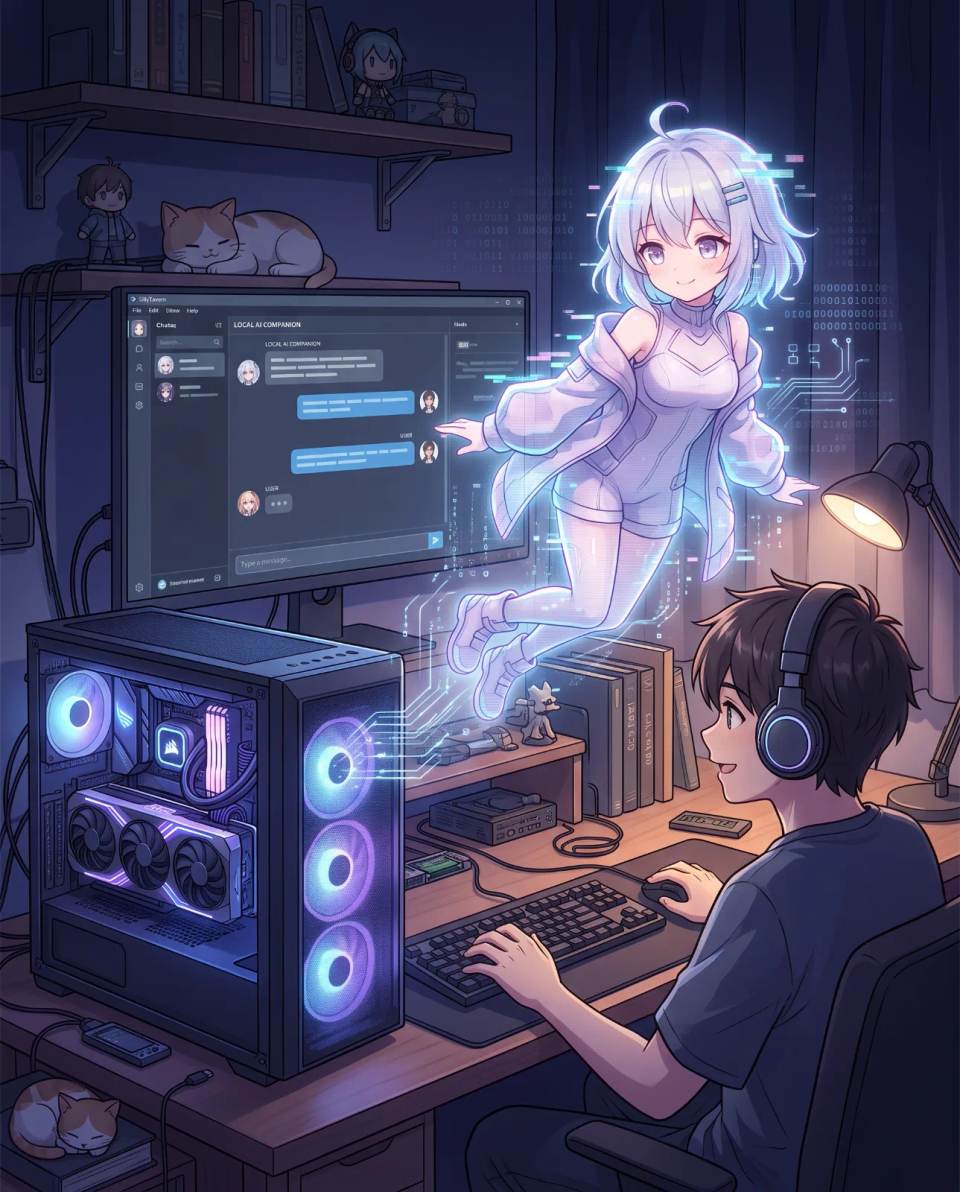
The backend serves raw text. A frontend layer transforms that text into a character-driven experience with avatars, personality cards, and persistent memory. The most popular open-source frontend is SillyTavern, originally designed for AI-assisted storytelling and now widely used for AI companionship.
SillyTavern connects to your local backend via API. Once connected, you can create character cards that define your companion's name, appearance, personality traits, speech patterns, and scenario context. These cards are written in plain text or JSON format and can be shared between users.
The frontend also manages the conversation history that gets sent to the model on each prompt. Configuring the right context window size is critical. Too small, and your companion forgets earlier details. Too large, and response speed degrades. Most users find 4096 to 8192 tokens to be the sweet spot for local hardware.
Step 4: Configure the Personality and Memory System
A raw model has no persistent identity. Everything your companion "remembers" comes from the instructions and conversation history you feed it. This is where local deployment shines: you have unrestricted control over the personality definition.
Start with a detailed character card. Describe not just surface traits, but deeper psychological patterns — how your companion reacts to stress, expresses affection, handles conflict, and what triggers emotional responses. The more specific the description, the more consistent the generated personality.
For long-term memory beyond the context window, use the summarization feature built into most frontends. When the conversation approaches the context limit, the frontend automatically summarizes earlier turns and keeps the summary in the prompt. This allows your companion to maintain continuity across hours of conversation.
Step 5: Harden Your Local Setup for Total Privacy
Running locally does not automatically guarantee privacy. The frontend and backend must be configured correctly to ensure no data leaks to external servers.
How Do You Ensure Your AI Companion Data Never Leaves Your Device?
First, block outbound internet access for the backend process using your operating system's firewall rules. On Windows, create an outbound rule denying all connections for the LM Studio or Ollama executable. On Linux, use iptables or nftables to restrict the process to localhost only.
Second, verify that the frontend is bound to 127.0.0.1 rather than 0.0.0.0. The latter exposes the interface to your local network. The former restricts it to your machine only.
Third, disable telemetry and update checks wherever possible. Some tools collect anonymous usage statistics by default. Check the settings menu and disable any option that sends data to the developer.
Finally, consider encrypting the folder where conversation logs are stored. On Windows, use BitLocker or VeraCrypt. On macOS, enable FileVault. This protects your data even if the physical device is stolen.
Performance Optimization Tips for Smoother Conversations
Local inference speed depends on three variables: model size, quantization level, and hardware capabilities. Optimizing these variables can dramatically improve the conversational experience without sacrificing personality quality.
If responses are too slow, try reducing the context length before downsizing the model. A 13B model with a 4096 context window often outperforms a 7B model with an 8192 window in both speed and coherence. Also experiment with the GPU offload layers setting — moving more model layers to VRAM accelerates generation up to the point where VRAM becomes saturated.
For NVIDIA users, ensure CUDA is properly installed and that the backend detects your GPU. On Linux, the proprietary NVIDIA driver is mandatory. On Windows, avoid running other GPU-intensive applications while chatting, as VRAM contention causes severe slowdowns.
Legal and Ethical Considerations
Running a local AI companion for personal use is legal in most jurisdictions. The open-source model licenses generally permit private use, modification, and non-commercial deployment. However, some models carry restrictions on commercial use or require attribution if you distribute derivatives.
The ethical dimension is more nuanced. Local deployment removes the content moderation guardrails that cloud providers implement. This freedom is precisely why many users choose local setups — to explore intimate or unconventional dynamics without judgment or censorship. The responsibility for ensuring that interactions remain psychologically healthy falls entirely on the user.
Users should apply the same self-awareness they would bring to any immersive roleplay experience. The absence of external oversight does not mean the absence of consequences. Monitor your own emotional state, take breaks, and maintain clear boundaries between simulation and real-world relationships.
Why Europe Is Leading the Local AI Companion Movement
The push toward local AI companionship is strongest in Germany and the broader DACH region, driven by the strict data protection requirements of GDPR. Cloud-based companion platforms have faced regulatory scrutiny over their handling of sensitive personal data, including intimate conversation logs.
For German users, the appeal of local deployment is not just ideological but practical. A local setup guarantees compliance with the core GDPR principles of data minimization and purpose limitation. No consent forms, no data processing agreements, no risk of a data breach exposing deeply personal information.
This regional emphasis influences how the tutorial should be interpreted. In the European context, privacy is not a feature but a legal right. The ability to run a fully offline AI companion is the only approach that satisfies this right without compromise.
Frequently Asked Questions
Can I run a local AI companion without a powerful GPU?
Yes, using CPU-only inference with smaller quantized models in the 3B to 7B parameter range. Responses will be slower, typically 1 to 4 tokens per second, but the experience remains functional for text-based conversations.
How much storage space do local AI models require?
A 7B model in Q4 quantization occupies approximately 4 to 5 GB of disk space. A 13B model requires around 8 to 10 GB. Plan for at least 20 GB of free space to store multiple models and conversation histories.
Is running a local AI companion completely free?
After the initial hardware investment, yes. The software stack — backend, model files, and frontend — is entirely open-source and free to use. The only ongoing cost is electricity consumption during inference.
Can I transfer my existing cloud AI companion personality to a local setup?
You cannot export data from most cloud platforms due to proprietary formats. However, you can manually recreate the personality by writing a detailed character card that describes the same traits, speech patterns, and behavioral tendencies.
What is the best model for emotional support conversations?
Models fine-tuned on empathetic dialogue datasets tend to perform best for emotional support. Look for variants specifically trained on therapy-adjacent conversations, or general roleplay models with strong instruction-following and emotional nuance.
Ready to Meet Your AI Companion?
Create an AI companion personalized for you. Through our 3-question AI quiz, discover the best platform for creating your AI girlfriend or boyfriend, and never wonder which one is best again.
Create My AI Companion →